
Build Better Product Commercials Through Draft-Based Iteration
A product commercial has seconds to make someone care. The angle, the light, the reveal, and the rhythm all have to work together. Getting there usually takes experiments, and full-resolution experiments get costly.
Dreamina’s Seedance 2.5 Draft gives commercial creators a smarter loop. The Draft mode lets you test product shots in fast 480p previews before you generate a native 1080p final. Let’s see how to build better commercials, one Draft at a time.
Why Commercials Reward Iteration?
A product video has a clear job: make the product look desirable. Small choices change the result, such as camera speed, background color, or the moment of the reveal.
Iteration is how marketers find the best version. Dreamina makes that practical by keeping each early test affordable.
Meet Dreamina’s Seedance 2.5 Draft Mode
Draft mode is the preview-first workflow of Seedance 2.5. You create 480p Drafts, choose a favorite and generate a fresh native 1080p final that reuses the Draft’s prompt, references, seed, aspect ratio and duration.
Why it fits commercial work:
- Consistent results: composition and camera movement stay aligned between Draft and final.
- Transparent pricing: US$0.514 per 5-second Draft and US$2.843 per 5-second final, billed independently.
- Reference support: use product photos, brand clips or audio to guide the scene.
- Richer finals: textures and lighting are further developed in the 1080p render.
From Idea to Ad: Your Three-Step Loop
Here is the commercial workflow with Dreamina and Seedance 2.5 Draft mode.
Step 1: Create a 480p Draft
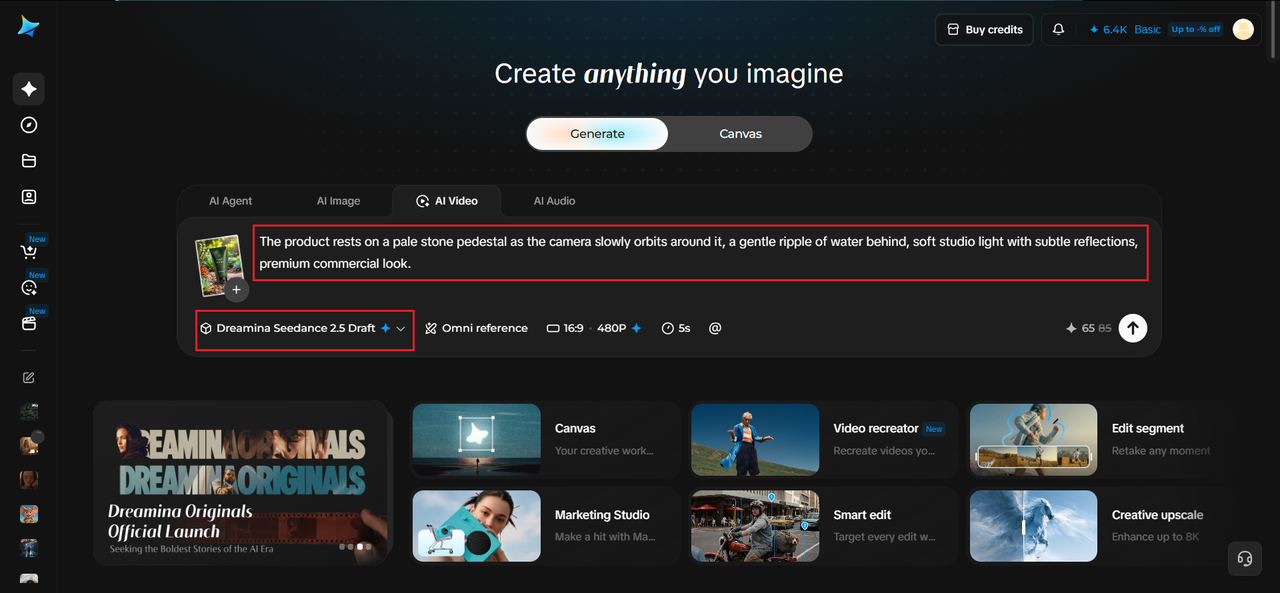
Start a Draft request with your scene description and any image, video or audio references.
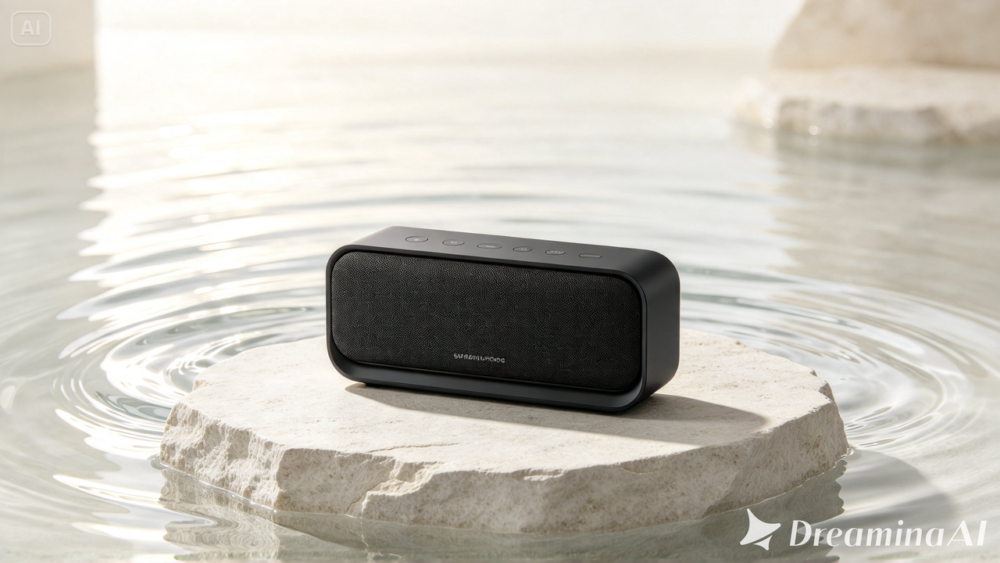
For example, upload your product photo and write: A matte black wireless speaker rests on a pale stone pedestal as the camera slowly orbits around it, a gentle ripple of water behind, soft studio light with subtle reflections, premium commercial look.
Set Draft mode on and choose 480p, the supported preview resolution. Then, wait until the Draft succeeds before reviewing the video.
Step 2: Compare takes and choose the shot
Next, fine-tune your settings by selecting a model, Seedance 2.5 Draft. You can also choose the size of the video, for example 16:9 for a YouTube channel or 9:16 for social media Reels. Lastly, select the duration of video you desire and click generate.
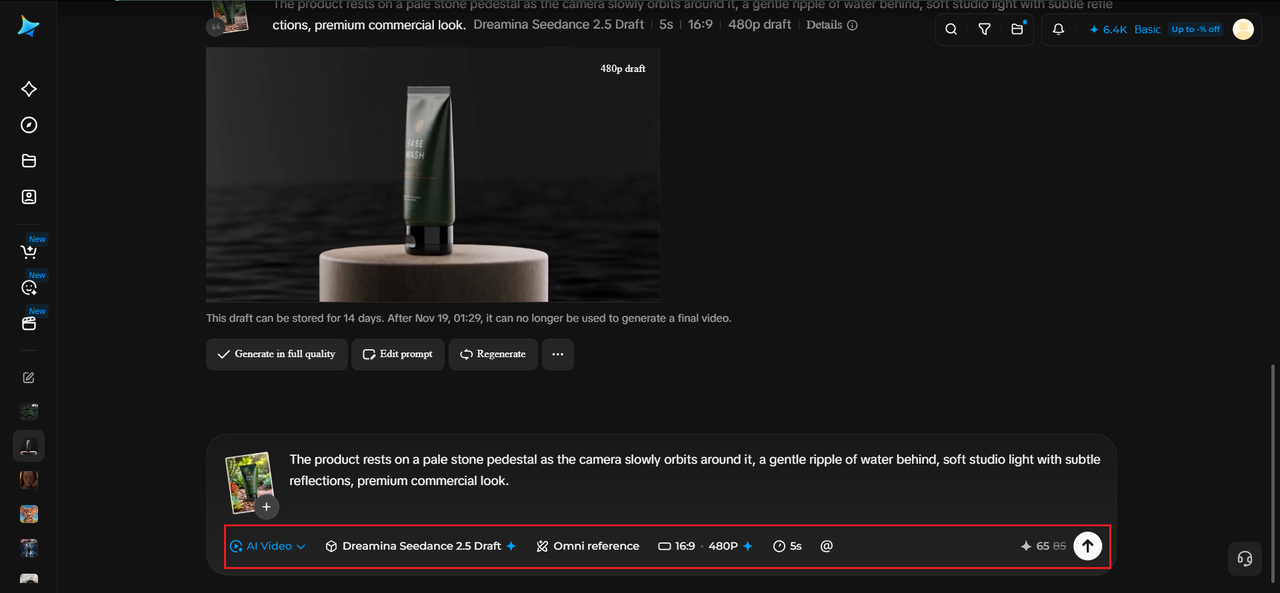
Step 3: Generate and review
Watch for composition, performance, camera movement, dialogue, audio, and pacing. For a product, ask whether the hero shot is clear and whether the reveal feels exciting.
Refine the prompt or references and create new Drafts when you want a different creative direction. The model automatically reuses the Draft’s creative conditions, so do not resend those inputs.
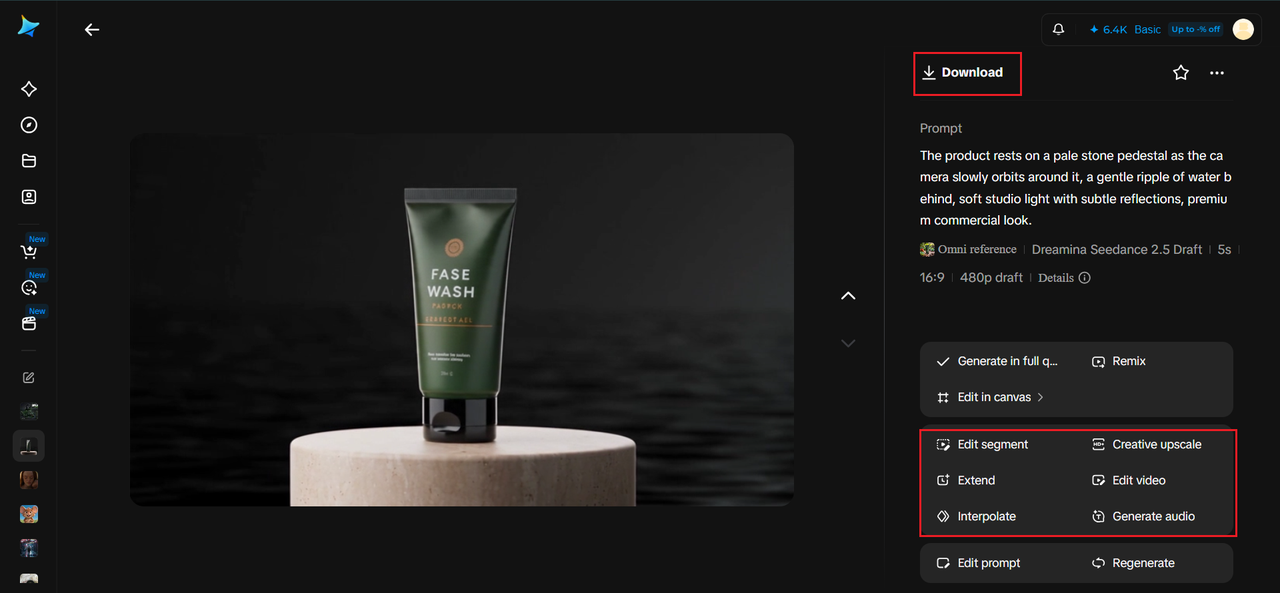
When the task succeeds, download and review the newly generated final for continuity, lighting, and detail before delivery.
The Hero Shot: Making the Product Shine
Every commercial needs a hero moment, the frame where the product looks its best. Plan it first and build the rest around it.
Try testing:
- A slow orbit around the product
- A dramatic push-in on a key detail
- A reveal from shadow into light
Brand Consistency Through References
Brands need consistency in color, style and tone. Add product photos or mood references to your Draft so Dreamina’s Seedance 2.5 Draft mode stays close to your brand look.
Because the final reuses the Draft’s inputs, the look you approved in 480p carries into 1080p.
Testing Different Ad Angles
One product can tell many stories: luxury, fun, everyday convenience or bold innovation. Each calls for a different tone.
Create separate Drafts for each angle and compare them. Your team can then choose the message that feels most convincing.
Pacing for Short-Form Platforms
Short ads need quick hooks. Check whether the first seconds grab attention and whether the product appears early enough.
Drafts let you test pacing cheaply, so you can tighten timing before the final render.
Sound, Music and Mood
Audio shapes how a product feels. A calm, spacious track suggests premium quality, while an upbeat one suggests energy.
If you use audio references, review how movement fits the rhythm in your Draft.
Saving Budget Across Campaign Versions
Commercial teams often need many versions. A typical 11-take workflow is modeled at about 73% lower cost than rendering all takes directly in 1080p, with bigger savings as takes increase.
That lets you explore more concepts and still deliver a polished final.
Final Review Before Launch
When the 1080p final arrives, check reflections, edges, logos, lighting, and continuity. Product ads depend on detail, so look closely.
Because finals can differ slightly from Drafts, a thorough review protects your brand before delivery.
Conclusion: Draft First, Launch Better
Better product commercials come from trying more ideas before you commit. With Dreamina’s Seedance 2.5 Draft mode, you can test angles, pacing, and mood in 480p, choose your strongest take, and generate one native 1080p final.
Seedance 2.5, Dreamina’s latest and most advanced video generation model, makes iteration practical for every campaign. Start your first Draft and give your next product its best close-up.